Forban is a kind of p2p (peer2peer) filesharing application for link-local and local area network. Forban works independently from Internet and use only the local area capabilities to announce, discover, search or share files. Forban relies on HTTP and he is opportunistic (meaning replicating any files seen in his proximity or interest). The name took his origins from the old French word (a forban is a kind of pirate). “Forban” can be also a play word in English at a time where government or corporate want to ban access to the Internet.
The current implementation is written in Python. The Forban protocol is minimal to ease the accessibility to build independent Forban in any decent language or even in shell scripts (using tcpdump and curl as an example).
Forban operates in different modes, the opportunistic mode is the default and working as a gossip protocol/epidemic protocol to disseminate data with any Forban in his proximity. The main concept is to provide persistence for the disseminated data even on periodic or unreliable communication (e.g. mobile device willing to exchange files or rural area where intermittent computer devices are passing by).
For a more detailed description of the Forban protocol and it's usage, you can check the presentation given at FOSDEM 2011 (February 2011) or the presentation given at haxogreen 2012.
Why or when to use Forban?
- You want to share files during an ephemeral party or when you meet friends or colleague (e.g. a technical library, images, music...).
- You have mobile computers that need to share files when those are available or reachable (e.g. rural public library, while being in a traffic jam, temporary satellite communication...).
- You want to share files in a private scope without needing the Internet.
- You can also run Forban on your PirateBox. Check out this OpenWRT package for installing Forban.
Development and git repository
- Forban development at github (Pull requests welcomed)
Download release and software requirements
Latest version : Forban 0.0.34 (2012-12-25)
- release directory - ChangeLog
You'll just need Python installed (at least version 2.5) to run Forban.
Forban should work on any decent version of GNU/Linux or MacOS. Forban works out-of-box on the OLPC XO-1 and Nokia N900 (with Python installed).
Forban should also run on Windows (less tested and known to be buggy on the proprietary platform) with Python 2.5, 2.6 or 2.7 and the win32api extensions.
As Forban is under active development, we recommend to clone the git repository.
git clone git://github.com/adulau/Forban.git
Install
The easiest is to download the release or git clone the repository. The setup is quite easy :git clone git://github.com/adulau/Forban.git cd Forban ./bin/forbanctl startand open your web browser to : http://127.0.0.1:12555/
To share some files, you'll just need to copy them in ./var/share/
Screenshots
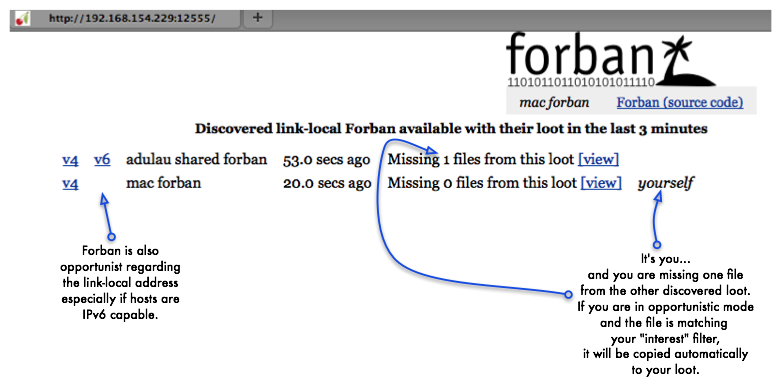
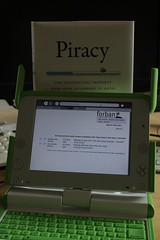
Protocols and link-local Firewall
If you have a Firewall or a packet filtering on your computer, you'll need to open the following ports :
UDP protocol port 12555 (source any -> destination 255.255.255.255 (ff02::1 in IPv6))
TCP protocol port 12555 (source any -> destination any)
P2P Donation

If you like Forban, you can still give some bitcoins money to my bitcoin account : 13Q8TCJqLQ8tfL7rhoa16PmgQrBTjkZ26i
You might ask why giving it to bitcoin, the idea is to promote another free P2P technology.
License
Forban is free software licensed under the GNU Affero General Public License version 3.
FAQ
Frequently Asked Question around Forban. If you have any question, send an email to a @ foo dot be.